Demo & Get Quote

Corporate Travel Management

Corporate travel management, policy engine, approval workflows.

Demo & Get Quote
Corporate Travel Management

Product Features

  • Policy Engine
  • Approval Workflow (hierarchical approval mechanism)
  • Cost Analysis
  • Department Budget Management
  • Self-Service Portal
  • Travel Profile Management
  • Employee Preferences and Loyalty Programs
  • Document Management
  • Multi-Language and Currency Support
  • Email & SMS Integrations
  • Advanced Reporting
  • SEO Compatible Infrastructure
Integrations

API Integrations

Integrate with leading service providers in the industry.

How the corporate portal works

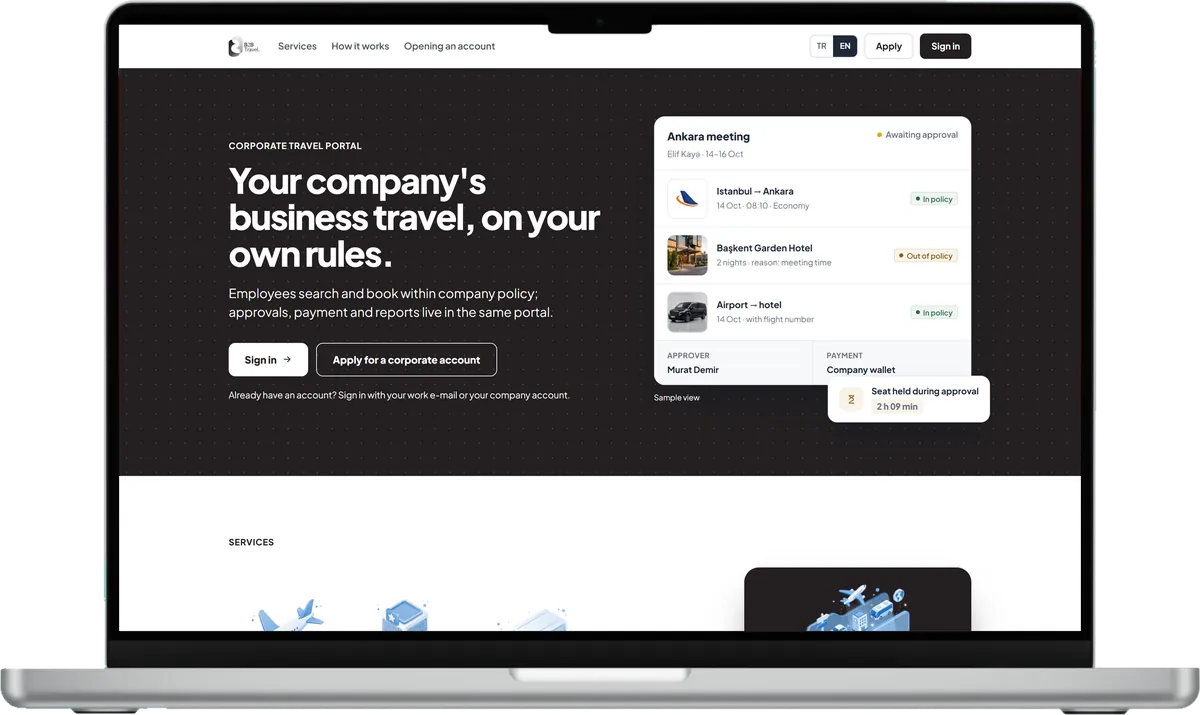
The company manager sets the policy, approval flow and budgets; staff search and request within those rules.

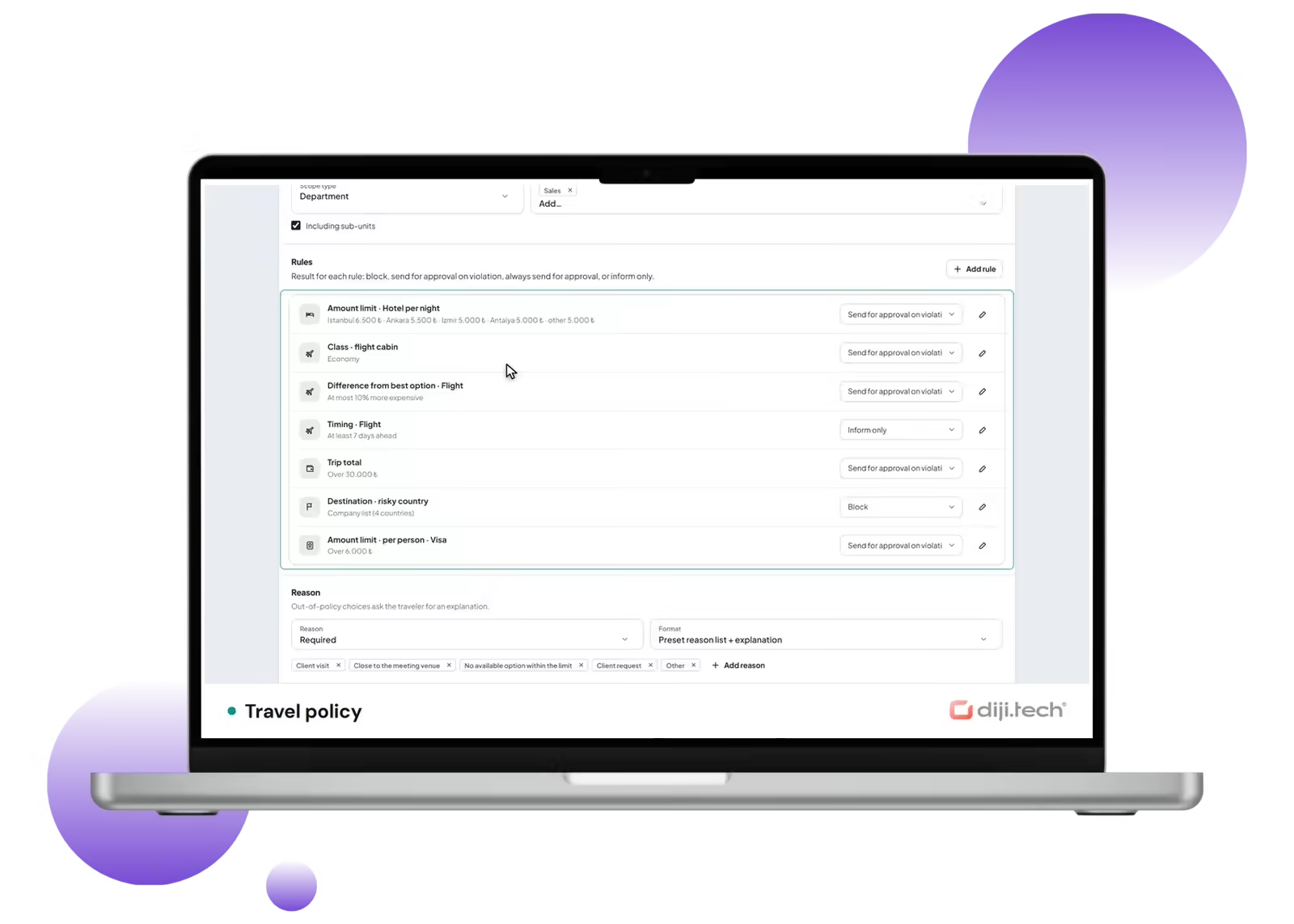
Travel policy

A policy applies to the company, a branch, a department, a title grade or a person; each rule blocks, sends for approval or only informs.

Approval flow

Requests pass sequential or parallel levels by amount band, with a time limit, reminder and escalation per level; nobody approves their own request.

Budgets

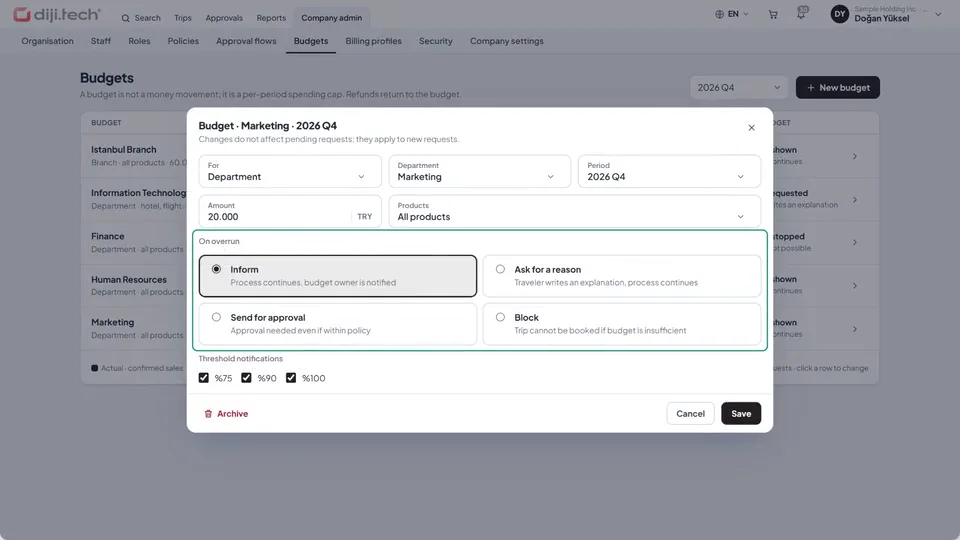
Period budgets per branch or department show actual, committed and remaining amounts; on overrun: warn, ask a reason, send for approval or stop.

Trip file and reports

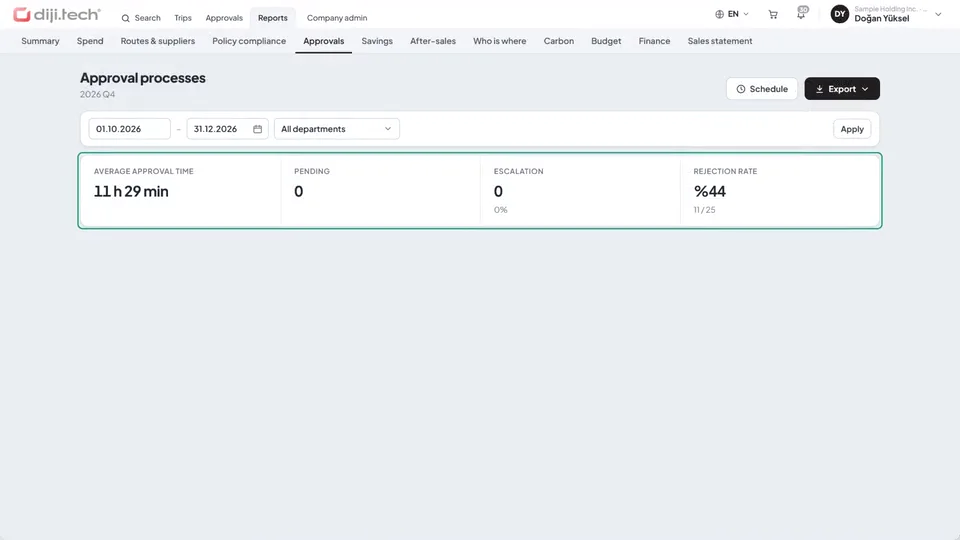
Items, service fee and documents sit in the trip file; spend, policy compliance and approval times are reported and exported to Excel, CSV or PDF.

Watch the company manager's portal

Policy rules, policy marks in hotel search, approval time limits and price tolerance, the budget overrun rule, after-sales authority and the trip file.

Corporate travel platform: policy, approval, budget, trip file

Company travel on your rules: policy, approval, budget and trip file

Policy rules

Corporate portal

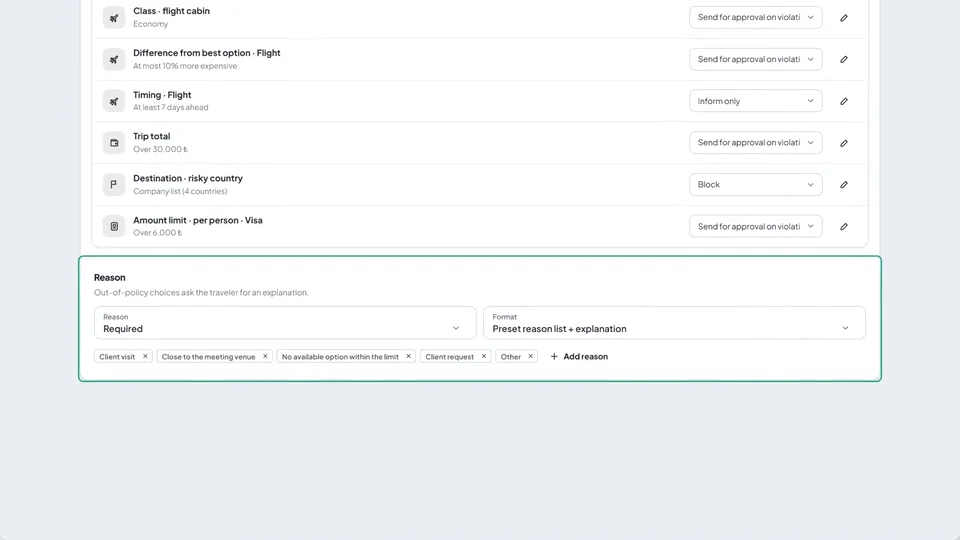
Policy rules

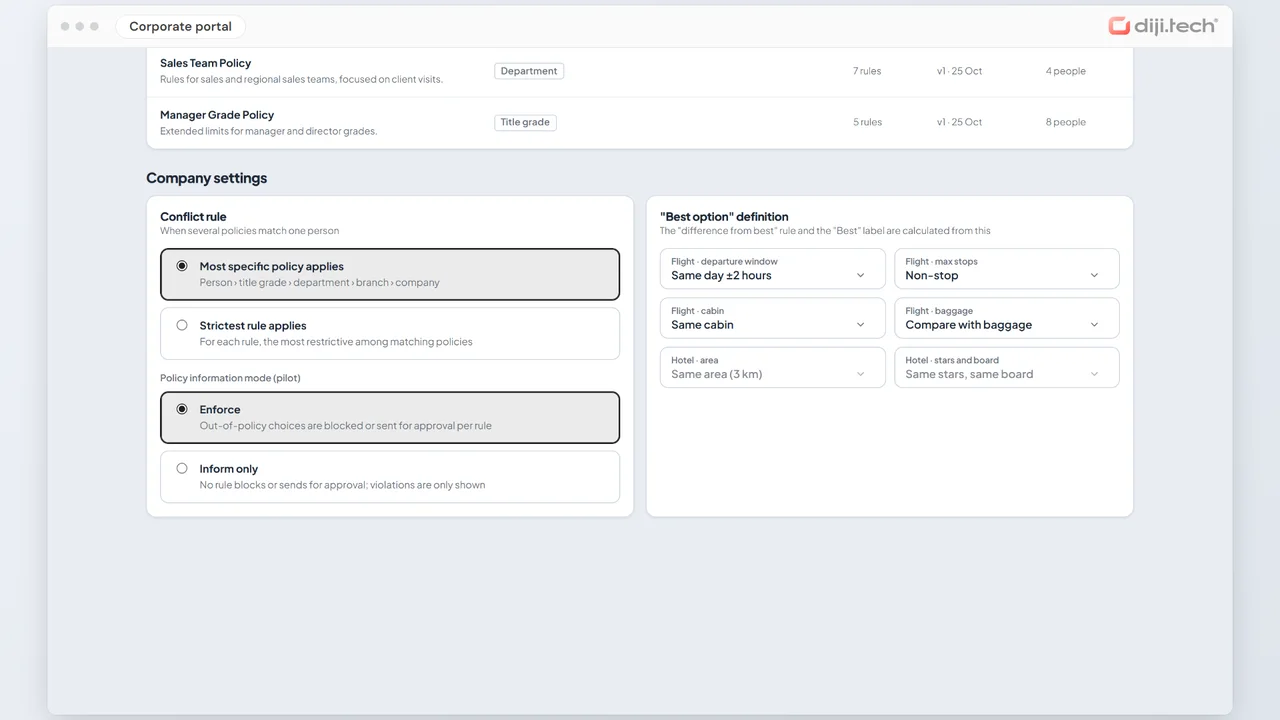
Apply a policy to the company, a branch, a department, a title grade or a person. For each rule you choose the outcome: block, send for approval on violation, always send for approval, or inform only. An out-of-policy choice asks the traveller for a reason from a preset list; when several policies match, the most specific policy or the strictest rule applies. The version history shows how many requests each version judged.
Policy marks in search

Corporate portal

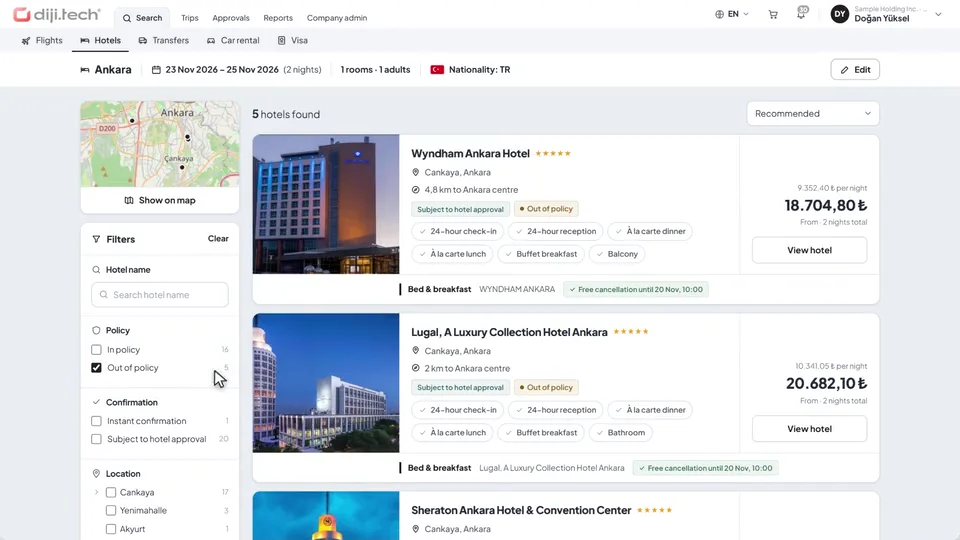
Policy marks in search

Hotel results show in policy or out of policy next to each hotel, and the reason when it is out: for example the nightly limit exceeded, with the amount and the limit. The Policy filter narrows the list in one click. Room rates carry their policy status too; for hotels whose price cannot be held, the price is re-checked at approval.

Approval time limits and price tolerance

Corporate portal

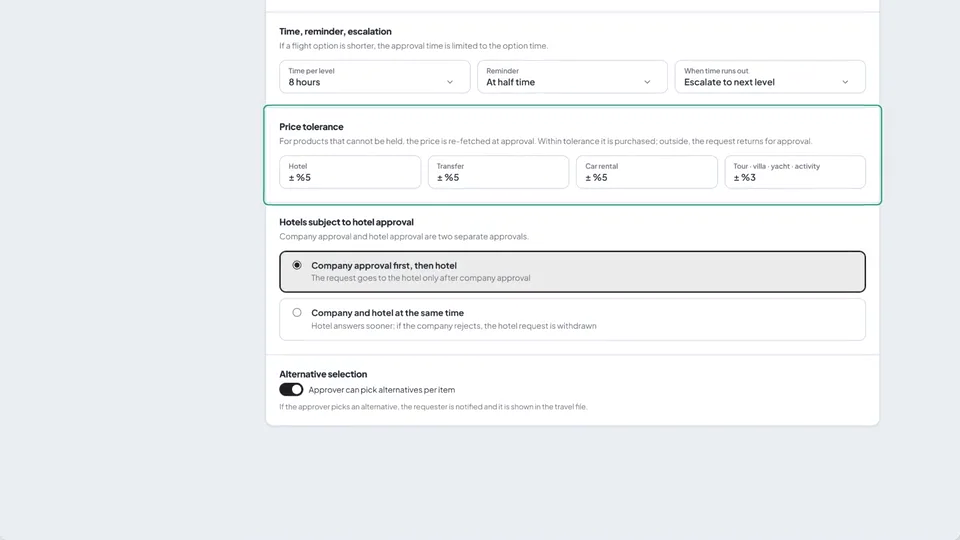
Approval time limits and price tolerance

The approval flow sets a time limit and a reminder per level; when time runs out the request is escalated to the next level. For products whose price cannot be held, such as hotels, transfers and car rental, the price is re-checked at approval: within the tolerance it is purchased, outside it the request goes back for approval.

Budgets and the overrun rule

Corporate portal

Budgets and the overrun rule

Set period budgets for a branch or a department, for all products or the ones you choose. The list shows actual, committed (pending approval and on option) and remaining amounts side by side. You choose what happens on overrun: inform, ask for a reason, send for approval, or block; notifications go out at the 75%, 90% and 100% thresholds.

Trip file and reports

Corporate portal

Trip file and reports

The trip file keeps the items, the net price and the agency's separately invoiced service fee, the billing profile, the itinerary and the voucher together; change requests start here. The approval report gives the average approval time, escalations and the rejection rate; the sales statement gives fare, service fee and VAT totals.

See the corporate travel portal up close

Get in touch for a free demo and a detailed quote; standard setup is completed within 1 week.

Frequently Asked Questions

You can get a price quote by contacting us via the Demo & Quote form.

Yes, it is continuously developed and updated.

Yes, with the Policy Engine you can define automatic rules based on your company travel policies.

Hierarchical approval mechanism provides manager approval and budget control. Multi-level approvals can be defined.

Yes, department-based budget definition, tracking and overage alert system is available.

It is a portal where employees plan their own travel within company policy guidelines and make reservations.

Request a Demo

Request a free demo to see the corporate portal up close and how it fits your company structure.