Demo & Get Quote

B2B Agency Software

Multi-tenant dealer management, centralized pricing, commission tracking.

Demo & Get Quote
B2B Agency Software
B2B/GSA Sub-Agency System

Product Features

  • Multi-Tenant Infrastructure
  • Dealer Management (addition, authorization, limit setting)
  • Markup & Commission Engine
  • Central Control Panel
  • Balance & Credit System
  • Product Access Control
  • Performance Monitoring
  • White-Label Panel Support
  • Multi-Language and Currency Support
  • Email & SMS Integrations
  • Advanced Reporting
  • SEO Compatible Infrastructure
Integrations

API Integrations

Integrate with leading service providers in the industry.

How the system works

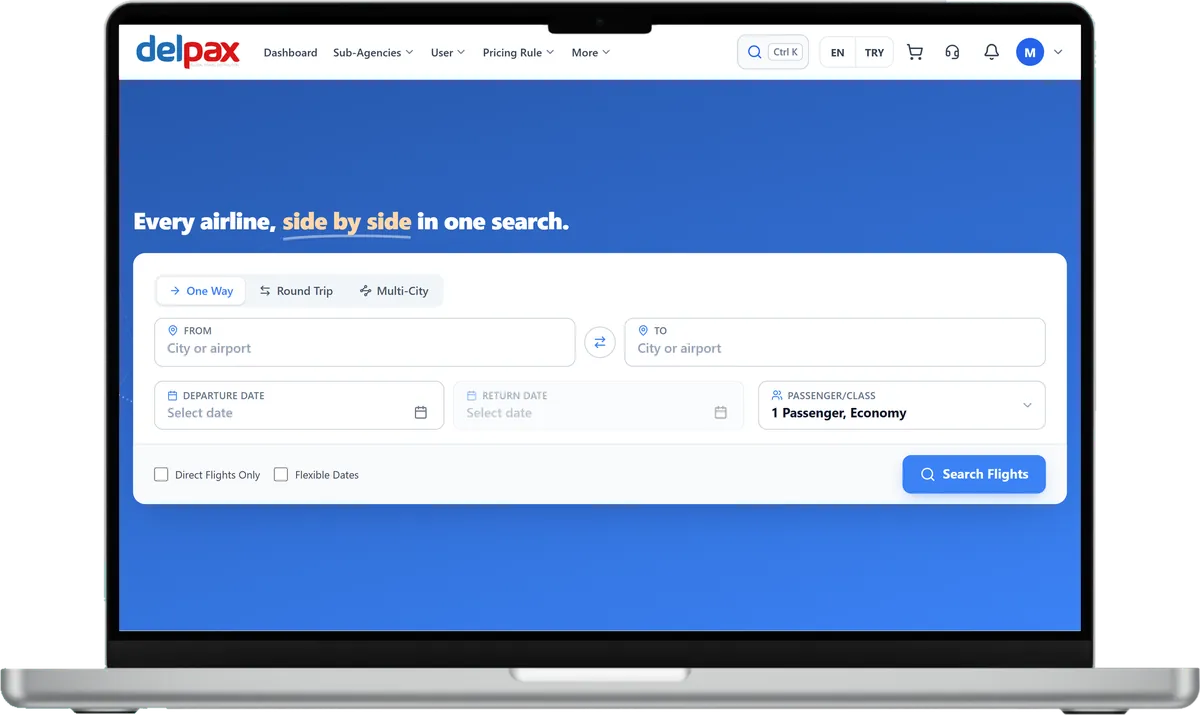
The main administrator, GSAs, and agencies work in the same system, each with their own account. Prices build along this chain: every level adds its own rule.

Who does what

Main administrator

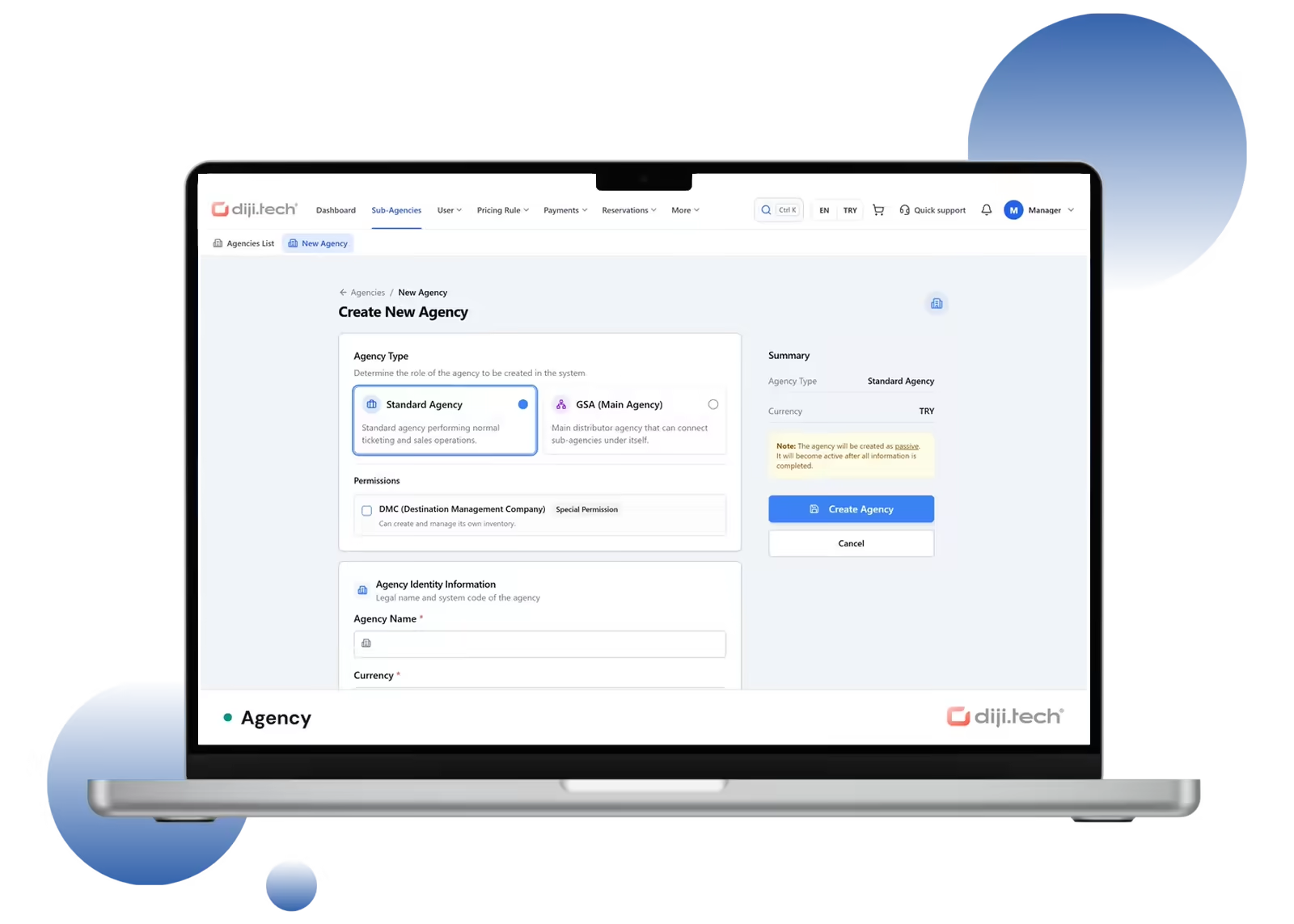
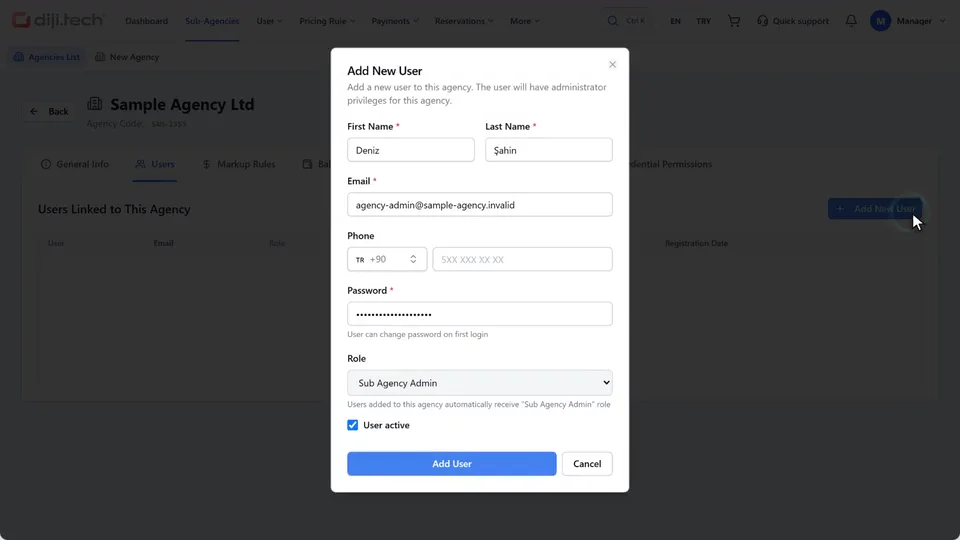
Opens agencies and sets the Standard or GSA type, DMC access, balance, and enabled modules and menus. A new agency starts passive and is activated when ready.

GSA

Opens its own sub-agencies, manages their balances, and writes pricing rules for them.

Agency

Works under the main administrator or a GSA. Signs in to the panel with its own users, searches, sells, and adds its own pricing rule. With DMC access, it also manages its own inventory. Rules and amounts of the levels above stay hidden from it.

From search to payment

  1. Async search

    The search starts instantly; results join the list as each supplier responds, so no one waits for the slowest supplier.

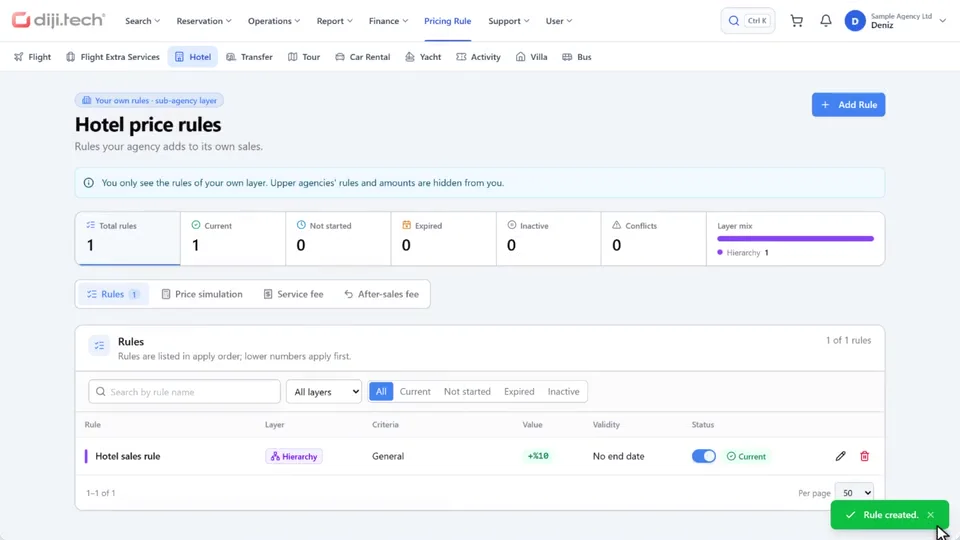
  2. Pricing rule

    The agency adds its own rule as a percentage or a fixed amount. The rule applies to later sales; past sales stay the same.

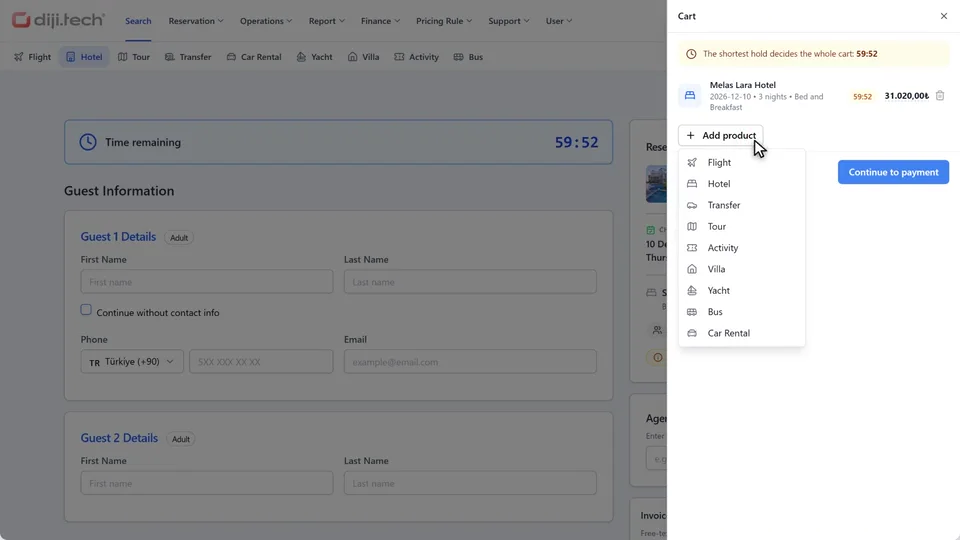
  3. Cart

    Different products in one cart and one payment, with one line per product type.

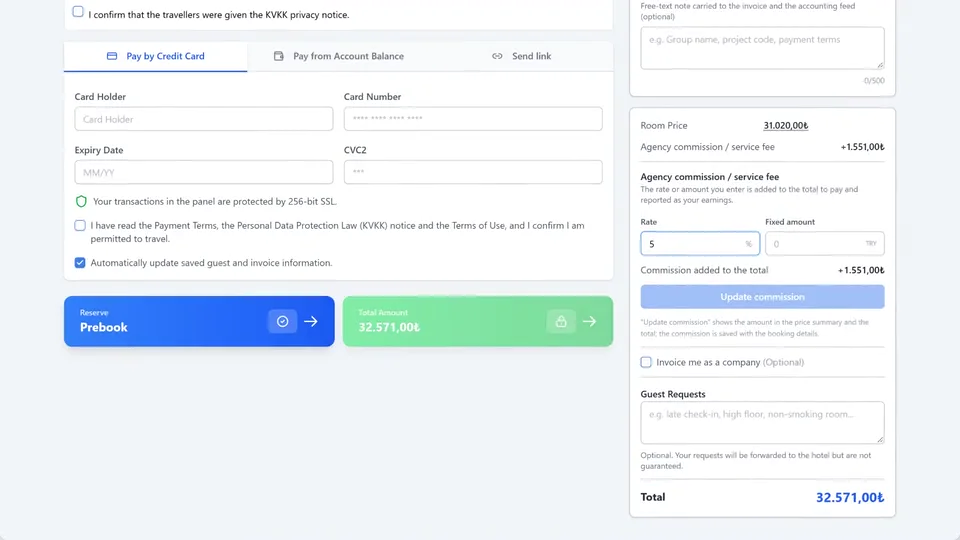
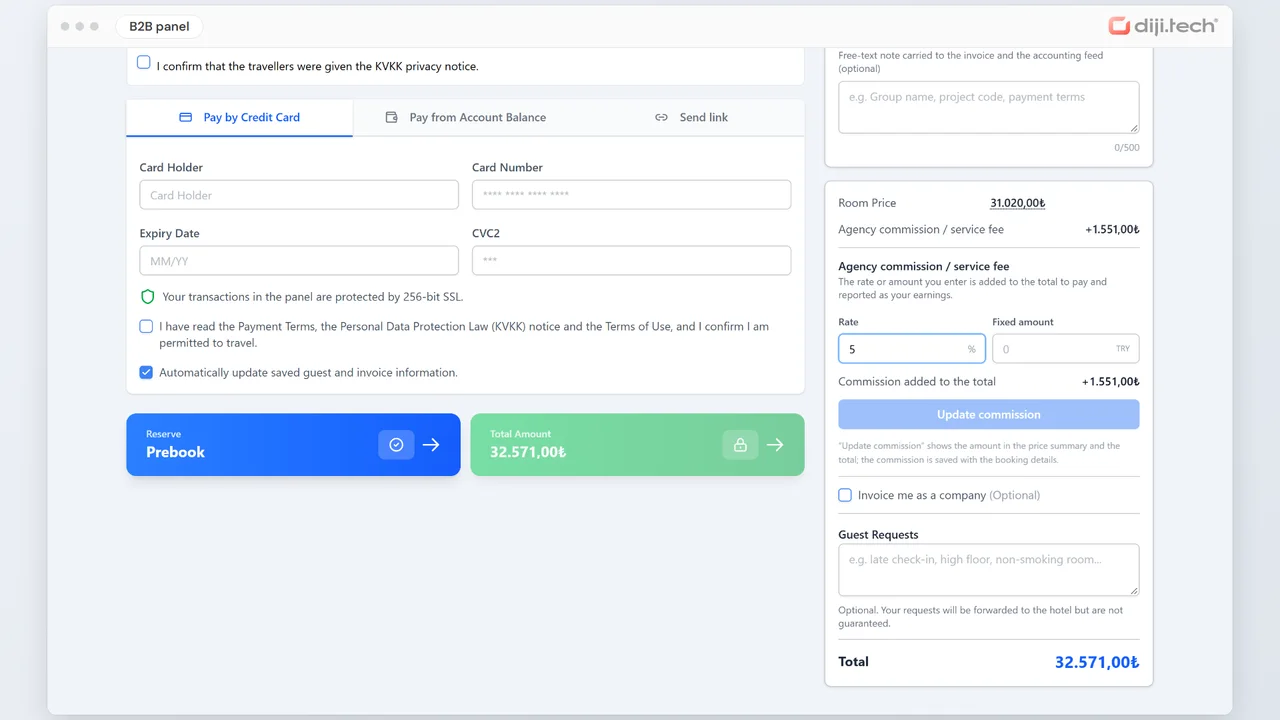
  4. Commission

    The agency adds its commission to the sale as a rate or a fixed amount; if the option is on, the updated amount joins the total.

  5. Payment

    The payment screen offers credit card or on-account options.

Watch the system from start to finish

From agency setup to the payment screen, then reports and a pricing rule with Diji, in about two and a half minutes.

B2B agency system: from agency setup to payment, with reports and pricing rules from Diji

See the product at work

Short videos filmed from the panel screens, each showing one step.

Build the agency network

Build the agency network

The main administrator opens the agency, adds its user, and activates it in one click when ready.

  • Standard and GSA agency types
  • Agencies with DMC access manage their own inventory
  • Users per agency
  • Balance management, module and menu permissions
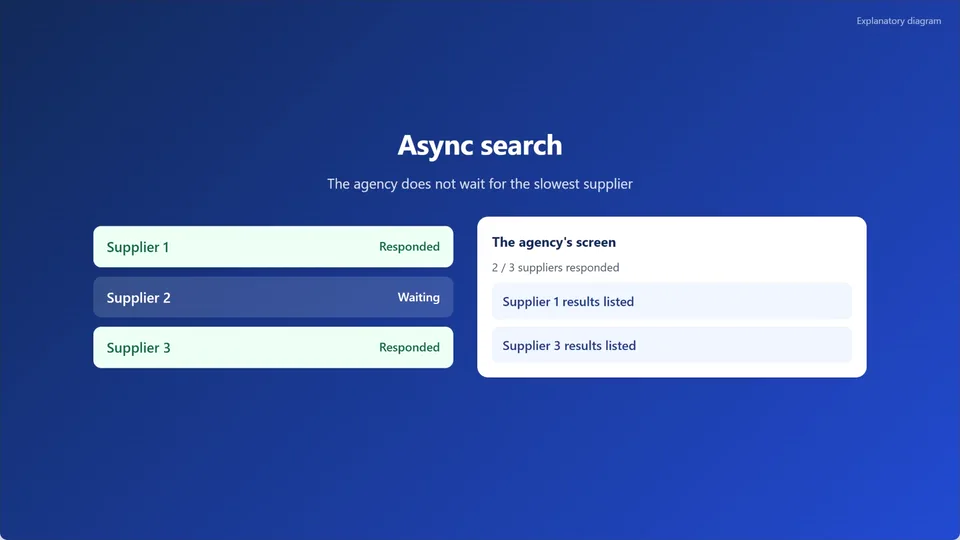
Async search

Async search

The agency does not wait for the slowest supplier: results join the list as each supplier responds.

  • The search starts instantly with a region and dates
  • The list opens as soon as the first results arrive
  • Narrow results by location, stars, board, and price
Manage pricing at every level

Manage pricing at every level

The agency adds its own sales rule, and the new rule carries into prices.

  • Percentage or fixed amount
  • Criteria for product, supplier, hotel stars, board, city group, and date
  • Simulation before saving
  • Rules and amounts of the levels above stay hidden from the level below
Collect products in one cart

Collect products in one cart

The selected product goes in the cart; other product types can join it, and everything is completed in one payment.

  • Different products such as flights, hotels, and tours in the same cart
  • One line per product type
  • One step from the cart to the payment screen
  • The cart is turned on by a setting of the main administrator account
Commission and payment screen

Commission and payment screen

Guest details go on one screen; the agency adds its commission and moves to the payment options.

  • Agency commission as a rate or a fixed amount
  • If the option is on, the updated amount joins the total
  • Credit card or on-account payment options
Read the agency network with Diji

Read the agency network with Diji

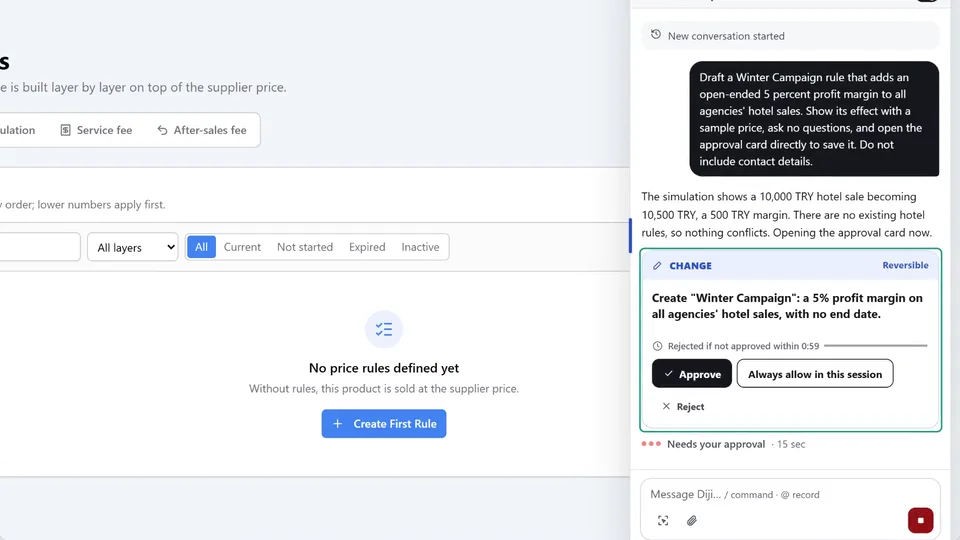
The main administrator asks Diji, the AI agent in the panel, in plain language: agency rankings, a comparison of two periods, a new pricing rule. Wait times are sped up in the video.

  • Agency ranking: count, amount, chart, and table
  • Compare two periods by agency
  • A pricing rule’s effect is shown with a sample price
  • A change applies once it is approved on the approval card

Finance and tracking

Balance, account activity, invoices, and reports in the same panel.

Balance

The main administrator and GSAs assign balances to agencies; if the wallet screen is on, an agency can also top up from its own screen.

Account activity

Agencies follow their account activity from the panel; the account statement opens if the accounting system supports it.

Invoices

Sales invoices and commission invoices can be viewed from the panel.

Reports

Sales, profitability, and commission reports in the panel.

Looking for a digital solution for your travel services agency?

Bring your project to life with our expert team. Contact us for a free demo and detailed quote.

Frequently Asked Questions

You can get a price quote by contacting us via the Demo & Quote form.

Yes, it is continuously developed and updated. We follow the industry, identify needs and update our product accordingly.

With multi-tenant infrastructure, you can define and manage an unlimited number of dealers.

Yes, with White-Label support, each dealer can have a custom branded panel and domain.

Yes, with the Markup & Commission Engine, flexible markup and commission definitions can be set by product, dealer, and category.

You can define prepaid balance or credit limits for dealers. Automatic balance alerts provide control.

Request a Demo

Request a free demo to explore our product and see how it can benefit your business.